What Is Ransomware and How Does It Actually Work?

Ransomware is malware that encrypts files on a computer or network and demands payment to provide the decryption key. The attackers profit by holding your data hostage. You either pay the ransom and hope they actually unlock your files, or you don't pay and rebuild from backups, if you have them.
That's the short version. The longer version requires understanding that modern ransomware is not just file encryption. It's a sophisticated criminal industry with its own software development teams, customer service, marketing, and increasingly, double and triple extortion strategies that go beyond the original "we encrypted your files" model.
I've spent two decades watching ransomware go from a curiosity (the original attacks demanded payment by mail) to a global criminal enterprise that takes down hospitals and pipelines. The attacks aren't going away. The question is how prepared you are when they arrive.
How ransomware actually works
The attack has phases. The initial access comes through one of a few common vectors. Then the attacker establishes persistence, escalates privileges, moves laterally through the network, and only at the end runs the encryption. By the time you see the ransom note, the attacker has been inside your environment for days or weeks.
The initial access vectors:
Phishing emails with malicious attachments. The recipient opens the attachment, the attachment runs code that establishes a foothold.
Exploited vulnerabilities in internet facing services. Unpatched VPN appliances, exposed remote desktop services, vulnerable web applications. Attackers scan for known weaknesses and exploit them automatically.
Stolen or guessed credentials. Phished passwords, credentials from previous breaches reused on the target's services, credentials purchased from initial access brokers.
Supply chain compromise. The attacker compromises a trusted third party (an IT management tool, a software vendor) and pushes malware through the established trust relationship. The 2021 Kaseya attack is the canonical example.
Once inside, the attacker doesn't immediately encrypt files. They explore. They find backups so they can disable them. They identify valuable data so they can exfiltrate it. They move laterally to gain access to as many systems as possible. They escalate to administrator privileges. The goal is to maximize the damage at the moment of encryption so that paying the ransom looks like the cheaper option.
The encryption itself is fast. Modern ransomware can encrypt terabytes of data in hours. Files become unusable. A ransom note appears, usually in every directory and as a desktop background.
Modern attacks don't stop at encryption. The attacker has already exfiltrated copies of sensitive data before triggering the encryption. If you don't pay for the decryption key, they threaten to publish the data. If you still don't pay, they publish it. This is double extortion.
Some attacks add a third stage: contacting your customers, partners, or regulators directly to pressure you. This is triple extortion.
Who gets targeted
Large organizations with the most valuable data are the highest profile targets, but they aren't the most common. Healthcare, manufacturing, education, and small to medium businesses get hit constantly. Large organizations have better defenses but pay more when breached. Small organizations have weaker defenses and pay less, but there are more of them.
CISA tracks active ransomware variants and maintains lists of known threat groups. Some operate as Ransomware as a Service (RaaS), where the operators provide the ransomware infrastructure and affiliates conduct the actual attacks for a percentage of the ransom.
Individuals can be targeted too, though it's less common. The economics don't usually work out: the cost of conducting an individual ransomware attack is similar to attacking a company, and individuals have less to pay.
The pattern in 2026 is that any organization with data worth protecting is a potential target. The defensive question isn't whether you'll be attacked but whether you'll be ready when you are.
The economics of ransomware
The criminals running ransomware operations are sophisticated. They study their targets, calibrate ransom demands, and operate "customer service" channels to help victims pay.
The ransom amounts vary enormously. For individuals, the demands are typically a few thousand dollars in cryptocurrency. For small businesses, tens of thousands. For mid sized organizations, hundreds of thousands to a few million. For large organizations, the demands can run into tens of millions.
The criminals use cryptocurrency (usually Bitcoin or Monero) for payment because it's harder to trace and reverse than traditional banking.
Some governments have made it harder to pay ransoms. Sanctions regimes mean paying certain ransomware groups can be illegal. The US Treasury has issued advisories specifically about ransomware payment risks under sanctions law.
Chainalysis tracks ransomware payments using blockchain analysis and reports that total ransomware payments cross the billion dollar threshold in most years.
The decision to pay or not pay
Reasons to pay (when applicable): the attacker has the only copy of your data, the cost of downtime is greater than the ransom, or lives are at stake (hospitals faced with patient risk sometimes have no other option).
Reasons not to pay: you have backups and can restore, the data is valuable but not irreplaceable, the criminals might be sanctioned (making payment illegal), paying funds future attacks, and the attackers might not actually decrypt your files after payment.
The decision is specific to each situation. If you're considering payment, the FBI's Internet Crime Complaint Center accepts reports and can sometimes provide guidance.
What ransomware looks like from the user's perspective
Your files start opening with corrupted contents. Your desktop background changes to a ransom note. Network drives become inaccessible. You might see a popup window with a countdown timer demanding payment.
The instinct is to try to fix it. Don't. The first move is to disconnect from the network. Pull the network cable, turn off WiFi, anything to stop the malware from spreading further. Then alert the IT or security team if you have one.
Don't pay any ransom on your own. If the decision to pay is made, it should be made deliberately by people who understand the business consequences and the legal implications.
Don't try to clean the malware yourself. Even if you remove the ransomware, your environment is compromised. Full recovery usually means rebuilding from clean state.
Document what you see. Screenshots, ransom note text, file paths affected.
Defending against ransomware
Backups are the foundation. The 3-2-1 rule is the standard: three copies of data, two different storage types, one stored offsite or offline. The "offline" part is critical. Ransomware specifically targets backups when it can find them. A backup connected to the network at the moment of attack is a backup that gets encrypted along with everything else.
Test the backups. A backup that hasn't been tested isn't a backup; it's a hope.
Patch software promptly. Most ransomware uses known vulnerabilities for which patches already exist. Auto updates wherever possible, manual patching as quickly as possible for systems that can't auto update.
Limit administrative access. Most users don't need administrator privileges on their own machines. Accounts without admin rights limit what malware can do once inside.
Use multi factor authentication on everything. Stolen credentials are a major initial access vector for ransomware. 2FA breaks the chain.
Segment networks. Flat networks let ransomware spread freely. Segmented networks with firewalls between zones limit the spread.
Have an incident response plan. Decide in advance who calls whom, what the recovery process looks like, who has authority to make decisions about payment or disclosure.
For organizations, the CISA StopRansomware site provides free resources.
What home users specifically should do
Back up your important files. Use a cloud service that versions your files and maintain a separate offline copy on an external drive. The external drive should be disconnected when not actively backing up.
Keep your operating system and software updated.
Use 2FA on important accounts.
Be skeptical of email attachments and links.
Run your computer with a non administrator account for day to day work.
If you do get hit: disconnect from the network immediately, don't pay the ransom unless you've thought through the implications, restore from backup, and report to law enforcement if the damage is significant.
For mild infections, the No More Ransom project collects free decryption tools for some specific ransomware families. Check there before paying anything.
A quick analogy
Ransomware is the digital equivalent of someone breaking into your house, changing the locks on every room, and refusing to give you the keys until you pay them.
You can pay them. They might give you the keys. They might not. They might come back next month and do it again.
You can ignore them and pick the locks yourself, but the locks are designed to be hard to pick.
Or you can have a key kept somewhere they can't reach, like a safe deposit box. The locked rooms become an inconvenience instead of a catastrophe. You get your spare keys, change the locks back, and move on.
The "spare keys somewhere they can't reach" is offline backups. Everything else in the analogy is the messy decision making that happens when you don't have them.
Frequently asked questions
Should I pay if I get hit by ransomware?
The default answer is no. Most home ransomware demands aren't worth paying because the cost usually exceeds what the criminal will bother decrypting. For organizations, the answer depends on the specific situation. Get expert advice before deciding.
Can ransomware affect my phone?
Yes, though phone ransomware is less common. Mobile ransomware usually locks the device screen rather than encrypting files. Recovery often involves resetting the device and restoring from backup.
Does antivirus protect against ransomware?
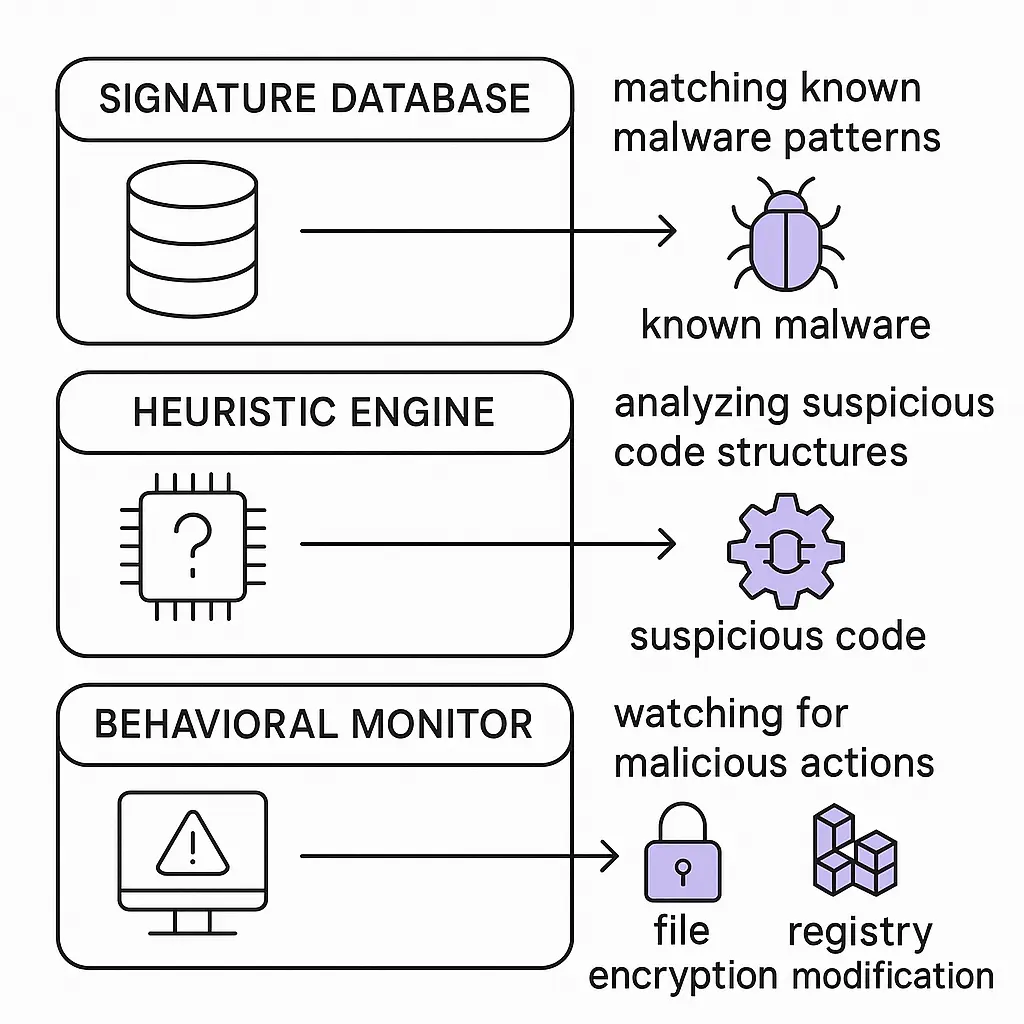
Real time antivirus catches most known ransomware variants. Newer "behavior based" detection looks for suspicious patterns (lots of files being encrypted quickly) and can stop some unknown ransomware mid attack. Antivirus is part of the defense, not the whole defense.
Can my insurance cover ransomware?
Cyber insurance often covers ransomware, including ransom payments and incident response costs. The insurance industry has tightened terms in response to surging ransomware claims.
How long does recovery from ransomware take?
For individuals with good backups, hours to a day. For organizations, typically weeks. The Colonial Pipeline attack in 2021 caused a six day shutdown despite the company paying the ransom; the decryption tool the attackers provided was so slow that backups were faster.
What is ransomware as a service?
Ransomware as a Service (RaaS) is the business model where ransomware operators provide their malware and infrastructure to affiliates who conduct the actual attacks. The operators take a percentage of the ransom. This model has expanded the number of people who can conduct ransomware attacks, lowering the technical bar required.
What to do next
If you don't have offline backups of your important files, set them up this weekend.
If your software isn't set to auto update, change that.
If you don't have 2FA on email and other important accounts, enable it.
If you're responsible for a small business or organization, work through the CISA StopRansomware self assessment and address the gaps.
If you've already been hit, disconnect, document, restore from backups if you have them, and report to the FBI IC3.
Ransomware isn't going away. The criminals running these operations are professional, organized, and well funded. The defensive work is to make your environment harder than the next target's, and to have the recovery infrastructure ready when an attack does succeed.