What Is a VPN and How Does It Actually Work?

A VPN, short for Virtual Private Network, is a tool that routes your internet traffic through an encrypted tunnel to a server somewhere else. The point is to hide your real location and protect your data from anyone watching the network you're on. That's the short version.
The longer version requires understanding why someone would want that, what a VPN actually protects, what it doesn't protect (despite what the YouTube ads imply), and whether you specifically need one.
I've spent two decades in cybersecurity watching VPNs evolve from corporate IT tools into a consumer product sold through influencer sponsorships. Most of what you've heard is half true. The half that's true is genuinely useful. The half that isn't is sales copy.
How a VPN actually works
When you connect to the internet without a VPN, your device sends requests to websites through your internet service provider. Your ISP sees every domain you visit, the timing, and the volume of data. The websites you connect to see your IP address, which generally identifies your approximate location and ISP. Anyone on the same network as you, especially open WiFi, can potentially see unencrypted traffic.
A VPN inserts an extra step. Your device establishes an encrypted tunnel to a VPN server. All your internet traffic goes through that tunnel first, then exits from the VPN server to its destination on the open internet. Websites see the VPN server's IP address, not yours. Your ISP sees that you connected to a VPN, but not what you did inside the tunnel. Anyone on your local network sees encrypted gibberish.
The encryption part matters. VPNs use protocols like WireGuard, OpenVPN, or IKEv2 to establish the tunnel. WireGuard is the modern choice and what most reputable VPN providers default to. The encryption happens on your device before traffic leaves, and decryption happens on the VPN server. Anyone in between (your ISP, the coffee shop's router, a state actor watching the wire) sees only encrypted packets going to a known VPN endpoint.
The tunnel is one way for visibility purposes. The VPN provider can technically see what's coming out of the tunnel on their end, since they're decrypting it before sending it to its destination. This is why the choice of VPN provider matters more than the technology itself. You're trading visibility from your ISP for visibility by your VPN provider. If the VPN provider keeps logs, sells data, or gets compromised, the protection you bought is illusory.
What a VPN actually protects against
A VPN solves a specific set of problems well, and those problems are real.
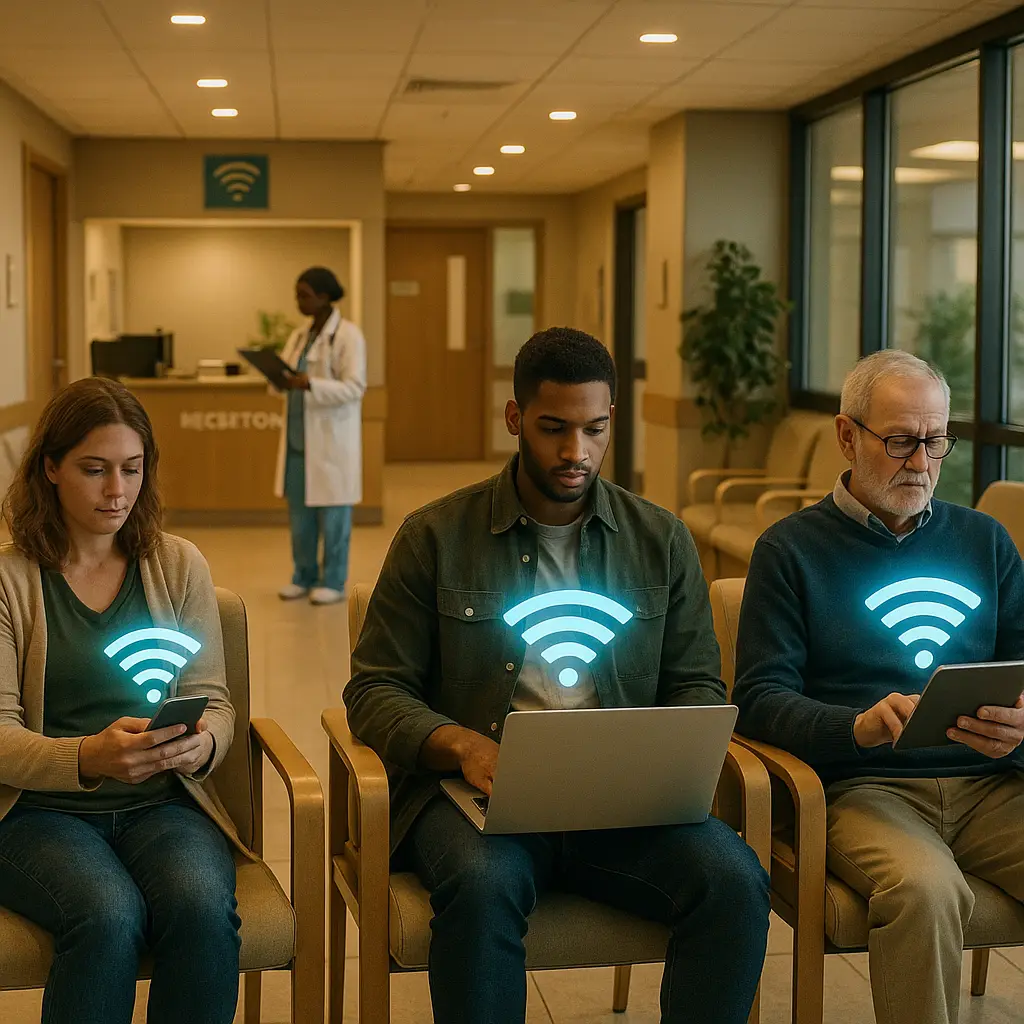
The first is network surveillance on untrusted WiFi. Coffee shops, airports, hotels, conferences. Open WiFi networks let anyone on the same network potentially capture traffic. Modern HTTPS encryption means most of what you do is already protected at the application layer, but a VPN adds a second layer and protects DNS lookups, which can otherwise leak which sites you're visiting.
The second is ISP tracking. In the United States, ISPs are legally allowed to sell aggregated browsing data, and many do. A VPN means your ISP sees only that you're connected to a VPN, not what you do through it. Whether that bothers you depends on your views on data privacy.
The third is geographic content restrictions. Streaming services license content by region. Some news sites block readers from other countries. Some software pricing changes by location. A VPN lets you appear to be browsing from somewhere else, which can give you access to content that's geo restricted. This is technically against most services' terms of service, though enforcement is inconsistent.
The fourth is regimes that block content. People living under governments that block specific websites or services use VPNs to access the open internet. This is the most consequential use case and the one that justifies the existence of consumer VPNs as a category.
The fifth is workplace networks. Some workplaces monitor employee internet activity. A personal VPN on a personal device makes that monitoring much less effective.
That's the real list. It's not nothing.
What a VPN does not protect against
The marketing implies a VPN protects you from "hackers" in some general sense. It doesn't. A VPN is not security software in most of the senses people imagine.
A VPN does not protect you from malware. If you download a malicious file, the VPN encrypts the download, but the file is still malicious when it arrives. Antimalware software is what protects you from that. A VPN is unrelated.
A VPN does not protect you from phishing. If you click a link in a phishing email and enter your password on a fake site, the VPN encrypts that connection beautifully. The attacker still has your password. The encryption is not the problem.
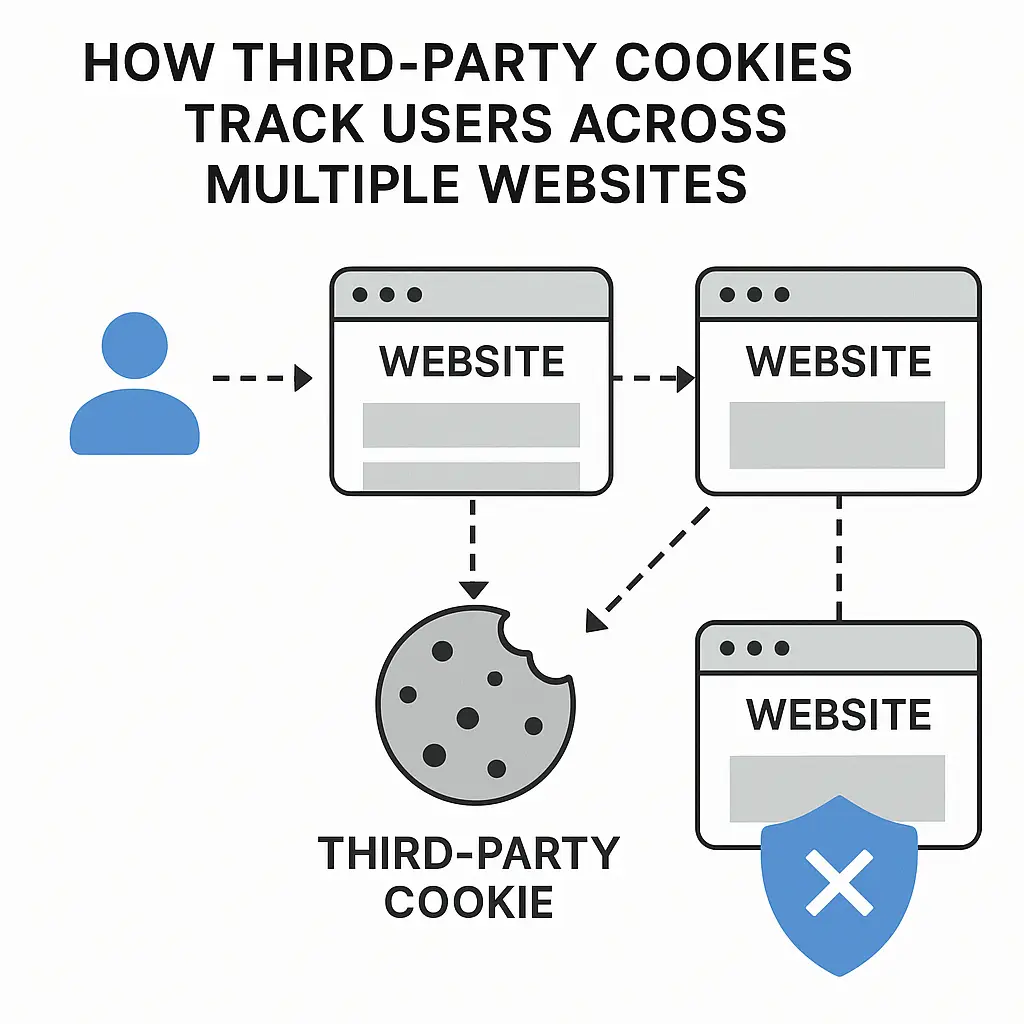
A VPN does not make you anonymous. Websites still identify you through cookies, browser fingerprinting, and accounts you log into. If you log into Gmail through a VPN, Google knows it's you. The VPN hides your IP but not your identity once you've authenticated.
A VPN does not protect against breaches of services you use. If LinkedIn is breached and your data leaks, a VPN doesn't help. The breach happened on LinkedIn's servers, not on the connection between you and LinkedIn.
A VPN does not protect you from someone who has access to your device. Malware on your computer, someone watching your screen over your shoulder, a stalker who knows your password. None of these are network layer threats and none are addressed by a VPN.
The marketing is built around fear of network layer threats that mostly aren't the threats most people face. The real threats are at the application layer (phishing, weak passwords, malware), and a VPN doesn't touch those. This is the part of the VPN industry that bothers me.
How VPN providers actually work
A VPN provider runs a network of servers in various locations, sells you access to those servers, and provides software to connect to them. You install the app, log in, pick a server, click connect. Everything else happens automatically.
The business model has implications. The provider knows who you are (you have an account, you paid them) and they handle your traffic. The privacy promise depends entirely on what they do with that information.
Reputable providers commit to a "no logs" policy, meaning they don't keep records of what you do through their service. Some have had this policy independently audited. The audit reports are public for providers like Mullvad, NordVPN, and a few others. Reading the audit report tells you more than the marketing copy.
Some providers have been caught keeping logs despite claiming otherwise, usually because law enforcement subpoenaed records and the provider produced them. This has happened to multiple VPNs that marketed themselves as no logs. The lesson: marketing claims aren't the same as audited claims, and audited claims aren't the same as audited yesterday.
Free VPNs are a different category. Running a global server network costs significant money. If you're not paying, the business model has to come from somewhere else. For free VPNs, that "somewhere else" is usually selling user data, injecting ads, or operating as a vehicle for fraud. The FTC has documented multiple cases of free VPN apps secretly selling user data. If you're using a VPN for privacy, free VPNs are usually counterproductive.
VPN protocols and which one to use
The protocol is the underlying technology that creates the encrypted tunnel. The major options:
WireGuard is the modern default. Released in 2019, it's faster than older protocols, has less code (which means less to audit and fewer places for bugs to hide), and uses modern cryptography. Most reputable VPN providers offer WireGuard now. If your provider offers it, use it.
OpenVPN is the older standard. It's been around since 2001, has been audited extensively, and works on essentially everything. It's slower than WireGuard but is sometimes more reliable on flaky networks. If WireGuard doesn't work for some reason, OpenVPN is the fallback.
IKEv2 is fast and stable on mobile devices, especially when switching between WiFi and cellular. Some providers default to it on iOS and Android.
PPTP and L2TP are legacy protocols from the 90s and early 2000s. They have known weaknesses and shouldn't be used. If a VPN provider only offers these, find another provider.
For most users, the practical answer is: use whatever your provider's app defaults to, which will probably be WireGuard.
VPN logs and jurisdictions
Where a VPN provider is based matters because different countries have different laws about data retention and government surveillance. Providers based in the United States, United Kingdom, and other Five Eyes countries are subject to broad surveillance authorities and can be compelled to log data even if they prefer not to.
Providers based in Switzerland, Panama, and the British Virgin Islands have historically been more aggressive about not logging, partly because the legal environment doesn't compel them to. This is why VPN marketing tends to emphasize jurisdiction.
In practice, the legal protection is meaningful but not absolute. A provider based in Panama can still be served with legal requests. They can still be compromised. The audit history matters more than the address on the corporate filings.
DNS leaks and kill switches
Two technical features matter for privacy.
DNS leaks happen when your VPN connection is active but DNS lookups (the process of converting "example.com" to an IP address) bypass the tunnel and go through your regular DNS server. Your ISP can see those lookups and reconstruct your browsing. Reputable VPN apps handle this by routing DNS through the tunnel, but it's worth checking with a tool like dnsleaktest.com to confirm.
Kill switches stop all internet traffic if the VPN connection drops, preventing accidental exposure during the few seconds it takes for your device to notice the VPN is down. This matters if you're using a VPN to protect against a specific threat, like a stalker, a regime, or a legal opponent. For casual use, the kill switch is overkill but doesn't hurt.
Most consumer VPN apps include both features. Make sure they're enabled. Some are off by default.
When you actually need a VPN
The honest answer for most people: you probably don't need a VPN for the things VPNs are marketed for, but a VPN is still useful for specific situations.
You need a VPN if you travel and use hotel or airport WiFi regularly. The protection on untrusted networks is real.
You need a VPN if you live somewhere with internet censorship. This is what VPNs were built for.
You need a VPN if your ISP is one that aggressively monetizes browsing data, and that bothers you.
You need a VPN if you're a journalist, activist, or work in a field where your network traffic might genuinely be of interest to someone.
You need a VPN if you want to access geo restricted streaming content. (This is a fine reason. Just know it's against most services' terms.)
You probably don't need a VPN if you mostly use the internet from home, on a network you control, with HTTPS connections.
You probably don't need a VPN if your threat model is "hackers" in a vague general sense. Most threats people face aren't network layer.
You probably don't need a VPN if you're using a free VPN that you can't verify is trustworthy. You're probably making things worse.
The middle case is the largest. Most people don't need a VPN for security but might want one for privacy reasons or for specific use cases like travel. The decision is more about lifestyle than technical necessity.
Picking a VPN provider
If you've decided you want a VPN, the questions worth asking:
Is the no logs policy independently audited? Marketing claims aren't enough. The audit report should be public and recent.
Where is the provider based? Jurisdiction matters for legal compulsion to log.
What protocols do they support? WireGuard should be on the list.
How many simultaneous connections per account? Most users want to cover their phone, laptop, and possibly a tablet. Five connections is standard.
Do they own their servers or rent them? Owned servers are harder for third parties to compromise. Rented servers are cheaper, which is why most providers use them.
What does the kill switch and DNS leak protection look like? Both should be present and enabled by default in the app.
What's the pricing structure? Most reputable VPNs charge between three and twelve dollars per month depending on commitment length. Free VPNs are mostly traps. Lifetime deals are usually too good to be true.
For a reliable, audited choice, NordVPN covers all the criteria above. Audited no logs, WireGuard support, kill switch, six simultaneous connections. It works well for most users. We earn a commission on purchases through this link, at no extra cost to you.
A quick analogy
Severance, the show, has a premise where employees have their work selves separated from their personal selves, with neither aware of the other. The corporate version of you doesn't know what the personal version did, and vice versa.
A VPN does something similar at the network layer. Your real identity (your home network, your ISP assigned IP, your physical location) is severed from your online identity (the IP address websites see, the location they think you're in, the network they think you're using). The two halves of you don't know about each other. The website you visit doesn't know who's really there. Your ISP doesn't know what you're really doing.
The metaphor breaks down in the same place a VPN's protection does. The two halves are connected somewhere, and that somewhere is the VPN provider. They know both halves. The privacy you have depends on whether they're trustworthy enough to keep the halves separate.
Frequently asked questions
Will a VPN slow down my internet?
A little. The encryption adds overhead, and your traffic now travels through an extra hop. Modern VPNs with WireGuard typically slow connections by 5 to 15 percent. If you notice major slowdowns, try a different server location closer to you.
Can my ISP see I'm using a VPN?
Yes. They can see you're connected to a VPN provider's server, and they can see how much data you're sending and receiving. They can't see what's inside the encrypted tunnel.
Is using a VPN legal?
In most countries, yes. Some countries (China, Russia, Iran, UAE, North Korea) restrict or ban VPN use. The legality of using a VPN to access geo restricted content varies but is rarely prosecuted at the user level.
Can a VPN protect me from my own government?
Partially. A VPN protects against passive network surveillance. It doesn't protect against compelled disclosure (the provider being legally forced to log), against attacks on your device, or against operational security failures (logging into accounts that identify you). Journalists and activists in hostile environments use VPNs as one layer of a broader operational security setup, not as a complete solution.
Should I always have my VPN on?
Depends on your reason for using it. If it's for privacy or because you don't trust your ISP, leaving it on continuously makes sense. If it's for specific use cases like travel or accessing certain content, turn it on as needed.
Do I need a VPN if I'm using HTTPS?
HTTPS encrypts the contents of your connection to a website. A VPN encrypts the entire path from your device to the VPN server, including DNS lookups, and hides your IP from the website. They protect different things and are complementary, not substitutes.
Can I use a VPN for torrenting?
Technically yes, and many people do. Some VPN providers explicitly support it, others don't. Whether torrenting copyrighted content is legal in your jurisdiction is a separate question.
What about VPNs built into browsers like Opera or Brave?
These are usually proxies rather than full VPNs, only protect browser traffic, and the privacy guarantees are weaker. They're better than nothing for browser only use cases, but for real privacy, a full VPN is the answer.
What to do next
If you've decided you need a VPN, pick a reputable provider, install their app, enable WireGuard and the kill switch, and confirm there are no DNS leaks. The setup takes ten minutes.
If you're not sure, think about what you're actually trying to protect against. If you can't articulate a specific threat that a VPN addresses, you probably don't need one. There are better places to invest your security attention, like a password manager and proper two factor authentication.
If you just want privacy from your ISP because the idea of them selling your browsing data bothers you, that's a fine reason. Pick an audited provider and turn it on.
The VPN industry is full of hype. The technology underneath is real and useful for the right problems. Match the tool to the actual problem and you'll be fine.