How Two-Factor Authentication Works and Which Method to Use Where

Two factor authentication, usually shortened to 2FA, is a system that requires two separate proofs of identity to log into an account. The first factor is something you know, like a password. The second factor is something you have, like a phone or a hardware key, or something you are, like a fingerprint.
The point is that even if someone steals your password, they can't log in without also having the second factor. A leaked password becomes a non event. The attacker has half of what they need and no way to get the other half remotely.
That's the short version. The longer version requires understanding why some 2FA methods are much weaker than others, why "having" a phone is more nuanced than it sounds, and which method fits which situation. I've spent two decades watching companies treat all 2FA as equivalent, and it isn't. The choice of method matters as much as the decision to use 2FA at all.
Why 2FA exists
A password alone is a single point of failure. If your password leaks (in a breach, through phishing, by being weak enough to guess), the attacker has full access to the account. Once they're in, they can change the password, lock you out, drain the account of value, and pivot to other accounts that share the same credentials.
This was the entire security model for the first three decades of the internet. It is not a good model. Passwords leak constantly. Have I Been Pwned lists billions of leaked credentials. Every major service has been breached at some point. Every user has reused passwords at some point. The math is bad.
2FA fixes the math. With 2FA enabled, an attacker needs both your password and your second factor. Stealing the password through a breach or phishing is no longer enough. They need the physical phone, the authenticator app, the hardware key. The remote attack surface drops dramatically.
Microsoft has reported that enabling any form of 2FA blocks more than 99 percent of automated account takeover attempts. The number isn't a marketing claim. It reflects how most attacks work: automated tools running through password lists. Those tools can't get past 2FA. Targeted attacks can sometimes work around it, but the bulk attacks that account for most breaches don't.
The three categories of factors
Authentication factors are traditionally grouped into three categories.
Something you know. Passwords, PINs, security questions, passphrases. Information stored in your head.
Something you have. A phone that can receive texts, a phone running an authenticator app, a hardware token, a smart card. A physical object you possess.
Something you are. Fingerprint, face, voice, iris pattern. Biometrics that identify you specifically.
Single factor authentication uses one category, usually something you know. Two factor authentication combines two different categories. Multi factor authentication uses two or more.
The "different categories" requirement matters. Two passwords aren't 2FA. They're both something you know, vulnerable to the same attacks. Real 2FA combines categories so that compromising one doesn't compromise the other.
Most consumer 2FA combines a password (something you know) with a second factor that's either something you have (phone, authenticator, hardware key) or something you are (biometric). The second factor varies enormously in how secure it actually is.
SMS codes: the weakest option
Many services use SMS as a second factor. You enter your password, the service sends a six digit code to your phone via text message, you enter the code, you're in.
SMS works. It's better than nothing. But it's the weakest 2FA method available, for reasons that have to do with how phone numbers actually work.
Your phone number is not a permanent property of your phone. It's a routing address controlled by your carrier. The carrier maintains a database that maps phone numbers to SIM cards. When you switch phones, the carrier updates the mapping. When someone convinces the carrier that they're you and they need a new SIM, the carrier updates the mapping. This second case is called SIM swapping.
The FBI has documented thousands of SIM swap attacks per year, with losses in the tens of millions of dollars. The attacker socially engineers the carrier (calls customer service, claims to be you, says they lost the phone) and convinces them to transfer your number to a SIM the attacker controls. From that moment, every SMS sent to your number arrives at the attacker's phone. Your 2FA codes go to them.
There's also a more technical attack on the underlying telecom protocols. The SS7 protocol that routes calls and texts between carriers globally was designed in the 1970s with no security model. Attackers with access to SS7 can intercept SMS in transit, redirect calls, and track location. State actors have demonstrated this for years. Some criminal groups have access to it too.
The lesson isn't that SMS 2FA is useless. It still defeats automated credential stuffing. It still requires an attacker to do something specific to bypass it. But for accounts that matter (email, banking, anything financial or sensitive), SMS is the floor, not the ceiling.
If a service only offers SMS 2FA, enable it. SMS beats no 2FA. But for accounts that offer better options, use the better options.
Authenticator apps: the middle ground
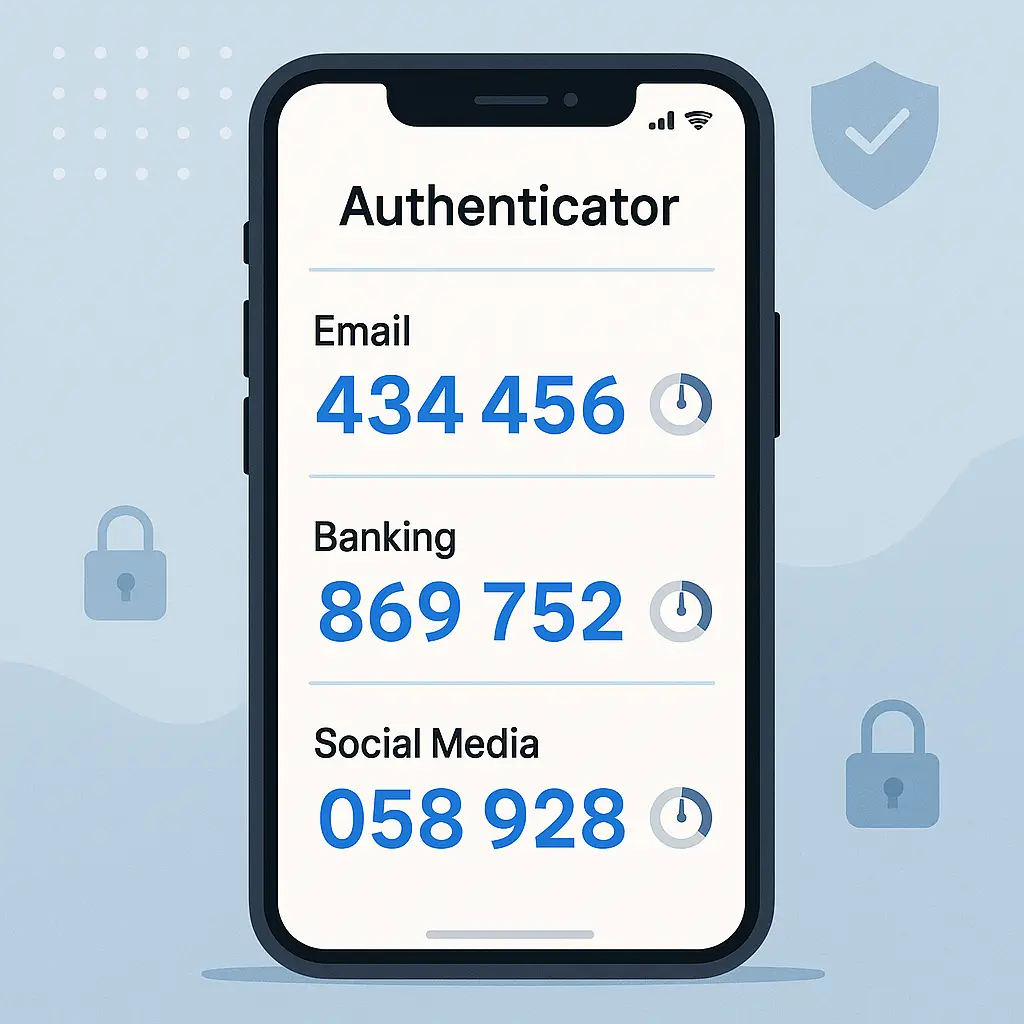
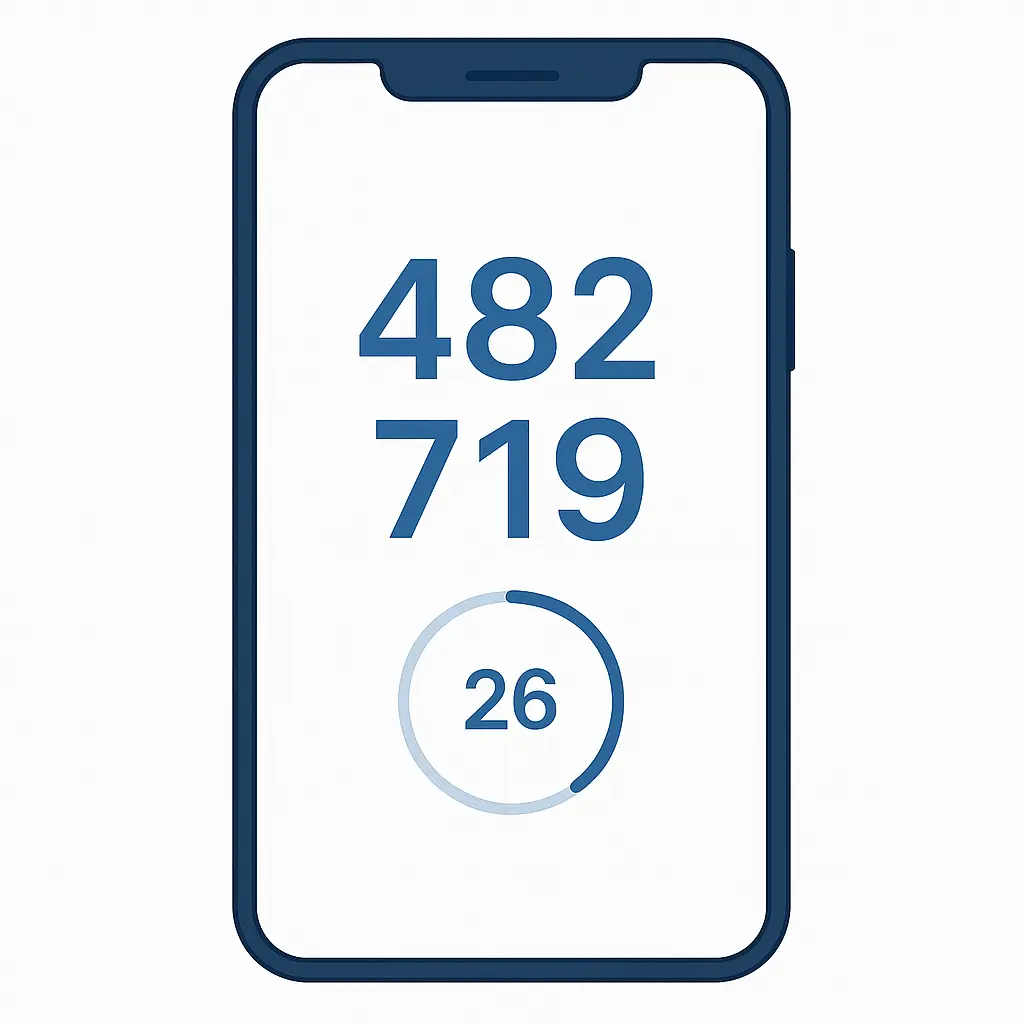
An authenticator app generates time based one time passwords (TOTP) on your device. The app shows a six digit code that changes every 30 seconds. When you log in, you enter the current code along with your password.
The mechanism is elegant. When you set up an authenticator for a site, the site shows you a QR code that contains a shared secret. You scan it with the app. Now both the site and your app know the secret. To generate a code, the app combines the secret with the current time, runs it through a cryptographic hash, and produces six digits. The site does the same calculation server side. If the codes match, you're in.
The codes never travel over the network. The shared secret never leaves your device after setup. Your phone number is irrelevant. SIM swapping doesn't help the attacker because there's nothing to intercept. SS7 attacks don't help because the codes aren't transmitted.
Common authenticator apps: Google Authenticator, Microsoft Authenticator, Authy, 1Password (which has TOTP built in), Bitwarden (also built in), Aegis (open source, Android only). They're functionally interchangeable. The main differences are whether they sync codes across devices and whether they support cloud backup.
The setup process for any service is the same: enable 2FA in account settings, choose "authenticator app", scan the QR code with your app, enter the code the app generates to confirm, save the backup codes the service provides. Future logins ask for the password and the current TOTP code.
Authenticator apps are the right default for most accounts. They're significantly more secure than SMS, and they work on essentially every site that supports 2FA. They have one weakness: real time phishing. If an attacker tricks you into entering your TOTP code on a fake site, they can relay it to the real site within the 30 second window and log in. This is more sophisticated than the typical credential phishing attack and less common, but it does happen, especially for high value targets.
For most threats most people face, authenticator apps are the right answer.
Hardware keys: the strongest option
A hardware key is a physical device, usually a small USB stick or NFC token, that performs cryptographic authentication. Brands include YubiKey, Feitian, Titan, and Solo. They cost between 25 and 75 dollars per key.
When you register a hardware key with a site, the key generates a unique key pair (a public key and a private key) for that site. The site stores the public key. The private key never leaves the hardware. To log in, the site sends a challenge, the key signs it with the private key, the site verifies the signature with the public key. You confirm the operation by tapping the key or pressing a button on it.
This is FIDO2 authentication, the modern standard. The cryptographic properties have important implications.
The signing operation is bound to the specific domain. A hardware key registered with google.com will only sign challenges from google.com. A phishing site at goog1e.com gets nothing, because the key refuses to operate for the wrong domain. This is the property that makes hardware keys phishing resistant in a way no other method is.
The private key is generated on the device and never leaves. There's nothing to phish, nothing to intercept, nothing to copy from a server breach. The most an attacker can get from compromising a server is the public key, which is useless without the corresponding private key on your device.
The tradeoff is that hardware keys are physical objects you have to carry. If you lose the key, you lose access to every account it protects. The standard mitigation is to register two keys per account: one you carry, one you store somewhere safe. If you lose one, the other still works.
CISA explicitly recommends hardware keys for high value accounts, and major tech companies require them for employees. They're overkill for casual accounts but appropriate for primary email, financial accounts, and anything else where compromise would be catastrophic.
Passkeys: the emerging standard
Passkeys are a newer authentication method built on the same FIDO2 cryptography as hardware keys, but stored in your device's secure enclave instead of on a separate piece of hardware. Your phone's Secure Enclave (Apple) or TPM (Windows) generates and stores the private key. You authenticate with biometrics or a PIN, and the device signs the challenge.
Passkeys have the same phishing resistance as hardware keys. They're domain bound, server side breaches don't expose the private key, and they don't rely on shared secrets that can be stolen. They have the convenience advantage of not requiring a separate physical device.
The major platforms (Apple, Google, Microsoft) sync passkeys across your devices through their respective cloud services, encrypted with keys derived from your account password and device biometrics. This means you don't lose access if you lose one device, but it also means the cloud provider has some role in the security model. For most users, this tradeoff is reasonable.
Adoption of passkeys is growing but uneven as of 2026. Major sites support them. Many smaller sites don't yet. The transition from passwords plus 2FA to passkeys will be gradual, probably taking another five years to be ubiquitous.
For now, passkeys are an excellent choice for sites that support them, but you'll still need passwords plus other 2FA for sites that don't.
What to use for which accounts
Different accounts deserve different levels of protection. The framework I use:
Tier 1 accounts are catastrophic to lose: primary email, password manager, banking, brokerage, anything tied to identity verification. For these, use hardware keys or passkeys if supported. SMS is unacceptable. Authenticator apps are the floor.
Email is the highest priority Tier 1 account because email is how every other account resets. Anyone who controls your email controls everything tied to that email. Lock it down with the strongest method available.
Tier 2 accounts would be painful but not catastrophic to lose: secondary email, social media, work accounts that aren't your primary, retail accounts with stored payment methods. Authenticator apps are the right default. Hardware keys are nice but optional.
Tier 3 accounts are mostly inconvenience if compromised: forums, low value retail, services where your account doesn't hold sensitive data. Any 2FA is fine, including SMS.
Tier 4 accounts are accounts you barely care about. Skip 2FA if it's annoying. Use a unique password through your password manager and accept that the account might get compromised. The damage is limited.
The goal isn't to maximize security on every account. It's to match the protection to the actual stakes. Spending 20 minutes setting up a hardware key for your favorite recipe site is a misallocation of attention. Spending 20 minutes setting up a hardware key for your primary email is essential.
Recovery: what happens when you lose access
The worst case scenario for any 2FA setup is losing access to your second factor without warning. Your phone gets stolen. Your hardware key is left in a hotel. Your laptop dies and the authenticator codes were on it.
Every reputable 2FA implementation gives you backup codes when you set it up. These are one time use codes that work as a fallback when your normal second factor isn't available. The setup screen typically shows ten codes and tells you to save them.
Most people skip this step. Don't.
Save the backup codes somewhere you can find them later. Options:
In your password manager as a secure note attached to the relevant account. Convenient and reasonably secure.
Printed and stored in a physical location: a desk drawer, a fireproof safe, a safe deposit box. Old school but reliable.
Whatever method you choose, the test is: in six months, when you've lost your phone, can you find the backup codes for your important accounts? If the answer is no, your setup is fragile.
For Tier 1 accounts, having two hardware keys (or two registered authenticator devices) is the better solution. Lose one, the other still works.
Common 2FA mistakes
The mistakes I see repeatedly:
Using SMS as the only 2FA method on important accounts. SIM swap attacks are common enough that this is a real risk for anything financial.
Storing all 2FA codes in the same password manager that holds the passwords for those accounts. Convenient, but it means one master password protects both factors. For Tier 1 accounts, keep the second factor separate.
Skipping the backup code save during setup, then losing access to the account when the phone changes.
Sharing 2FA codes over the phone with someone who calls claiming to be customer support. Real customer support doesn't ask for your codes.
Using "remember this device" on shared computers. The browser cookie that bypasses 2FA stays even after you log out.
Treating 2FA as optional once you have a strong password. Strong passwords leak in breaches all the time. 2FA is the layer that survives the leak.
The broader system
2FA is one layer in a security model that needs other layers. By itself, it doesn't make you immune to attacks.
You still need a password manager generating unique passwords for every account. 2FA on a reused password protects that account, but the other accounts using the same password are still exposed.
You still need to recognize phishing. 2FA codes can be phished in real time on a fake site. Hardware keys defeat this because they're domain bound. Authenticator apps don't.
You still need device security. If your phone is unlocked and someone takes it, they have your authenticator app. PINs, biometrics, and screen locks matter.
You still need to keep software updated. 2FA can't help if the underlying device or browser has known vulnerabilities being exploited.
The goal of 2FA is to make password compromise survivable. It does that well. It doesn't make you invulnerable. It makes the most common attack pattern stop working, which is enough for most people most of the time.
A quick analogy
Two factor authentication is like a vault that requires two keys held by different people. The first key is your password, which you carry. The second key is something else: a phone, a hardware key, an app on your laptop. Both keys have to come together at the moment of opening the vault.
If a thief steals one key, the vault is still safe. They have to steal the second key from somewhere else, which is much harder. Most thieves give up and look for easier vaults.
The strength of the system depends on the second key being genuinely separate from the first. If you keep both keys in the same wallet, stealing the wallet gives the thief everything. This is why storing your 2FA codes in the same place as your passwords reduces protection. The two keys are no longer separate.
The strongest version of the system is when the second key is something the thief can't take remotely. A phone they'd have to steal physically. A hardware key they'd have to grab from your desk. A biometric they can't replicate.
Frequently asked questions
What's the difference between 2FA and MFA?
MFA (multi factor authentication) is the broader term that includes 2FA (two factor) and any system using more than one factor. In practice, the terms are used interchangeably. Most consumer authentication is 2FA. Enterprise systems sometimes require three or more factors for sensitive operations.
Can attackers bypass 2FA?
Yes, but it's much harder than bypassing a password alone. The bypass methods include SIM swapping (for SMS 2FA), real time phishing (for SMS and TOTP), session token theft after a successful login, and physical theft of the device holding the second factor. Hardware keys defeat most of these.
Should I use the same authenticator app for everything?
Generally yes. Having one authenticator with all your TOTP codes is more manageable than spreading them across multiple apps. The exception is high security accounts where you might want a dedicated authenticator separated from your everyday one.
What if I get a new phone?
If you're using an authenticator app with cloud sync (Authy, Microsoft Authenticator with backup, Google Authenticator with sync), the codes transfer automatically when you sign in on the new phone. If you're using one without sync, you'll need to manually re register each account on the new device, which is why backup codes matter.
Are biometrics good 2FA?
Biometrics work well as a convenience layer (unlocking your authenticator app, unlocking your phone) but they're not typically used as a standalone second factor for online services. The reason is that biometrics can't be revoked or changed. If your fingerprint data leaks, you can't change your fingerprint. Biometrics are best used as device unlock combined with a different second factor for the actual authentication.
Can I use 2FA on accounts that don't support it?
Not directly. If a site doesn't offer 2FA, you can't add it. What you can do: use a strong unique password for that account through your password manager, and accept that the account is at higher risk.
Do password managers count as 2FA?
Not by themselves. A password manager is a tool for storing passwords, which are still single factor. But password managers protected with 2FA, plus generating unique passwords for every account, give you something close to 2FA equivalent protection: an attacker would need to compromise the manager's master password and second factor to access any account.
Is 2FA enough for cryptocurrency or financial accounts?
For most users, yes, especially with hardware keys or strong authenticator apps. For high value crypto holdings or large financial accounts, additional layers (whitelisted withdrawal addresses, hardware wallets, time delays on transfers) are reasonable.
What to do next
If you're not using 2FA at all, start with your primary email today. Email is the master key to your other accounts. Set up an authenticator app, save the backup codes, done. Twenty minutes.
If you're using SMS 2FA on important accounts, switch to authenticator apps. The setup process is the same. The security improvement is significant.
If you're using authenticator apps and your accounts include catastrophic loss potential (banking, primary email at scale, work accounts with privileged access), upgrade those specific accounts to hardware keys. Buy two, register both with each protected account.
If you're already using hardware keys on your highest value accounts, you're ahead of most people. Make sure your backup codes are saved somewhere you can find them, your second key is registered and stored safely, and you understand the recovery process for each protected account.
The best 2FA setup is the one you actually use. Start with the strongest method you'll consistently use across your important accounts, and improve from there.